

- The Inspection is critical in the FCS Lifecycle sales system.
- It establishes a baseline in the lifecycle relationship with the FCS Service module.
- It creates Opportunity for each team.
- As the inspection is performed, an electronic copy of the report is built in real-time and accessible from the office.
- It allows the client to budget work to be performed and allows for better data management in the portfolios of
facility managers, property managers, and other decision-makers.
Step 1:
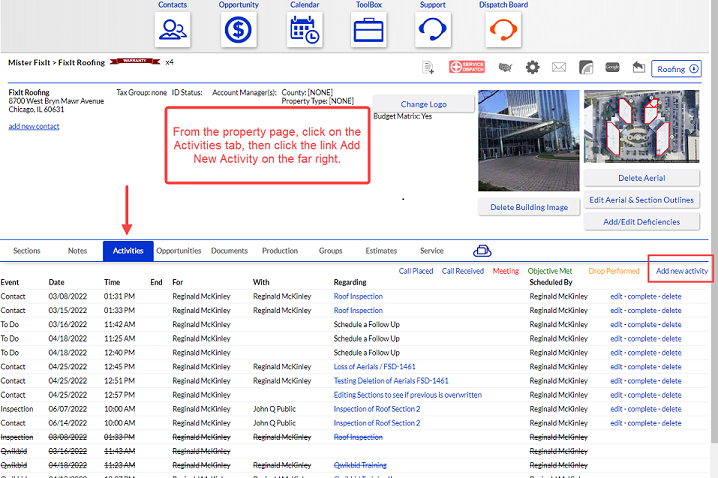
From the property page, click on the Activity tab, then click Add New Activity.
Step 2:
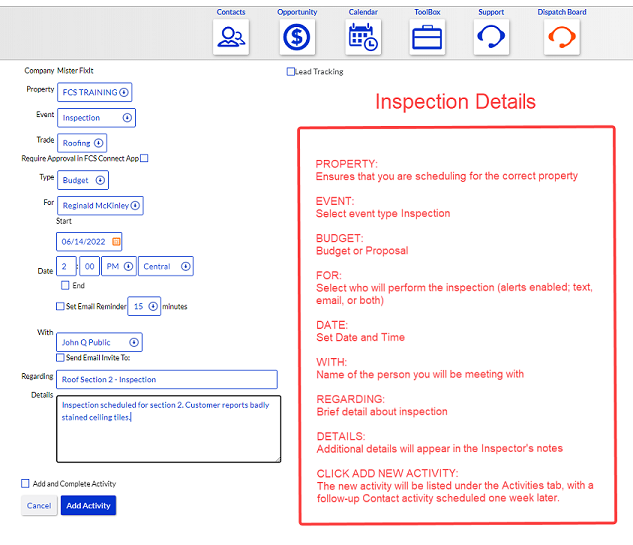
Enter the details for the upcoming Inspection.
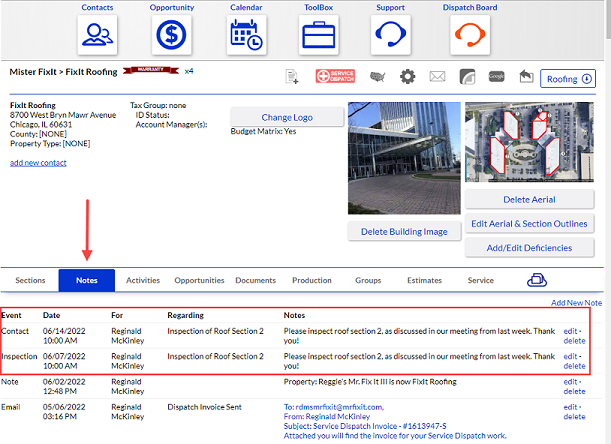
The Inspection (along with a follow-up Contact reminder) will be listed in the Activities tab and the Notes tab.
Below is the Notes view.
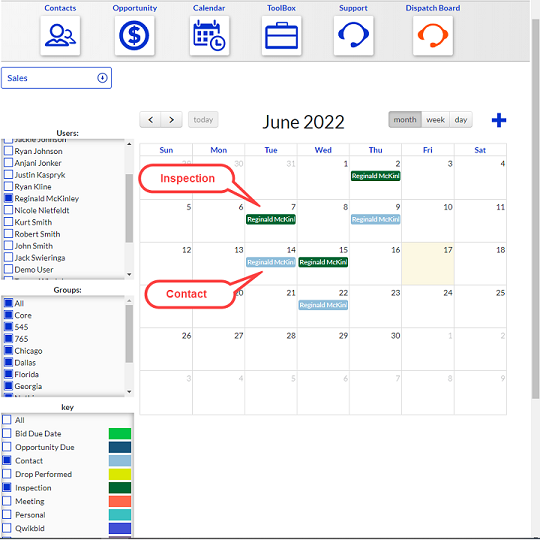
The Inspection and Contact reminder will also be displayed in the Sales Calendar.
Comments
Article is closed for comments.